
Hey readers! Welcome to this comparison of Atticus and Lacuna Book Formatting.
I’ve been a long-time Atticus user, so I’m very familiar with how it works and have spoken highly of it in the past. But with the recent introduction of Lacuna, I wanted to take a closer look and compare the two side by side.
Here’s the short answer up front: Atticus comes out ahead, though not necessarily because of its technical features. For me, it ultimately came down to the overall user experience.
That said, both tools have their strengths, and depending on what you’re looking for, one may be a better fit than the other. There are also a few important things to be aware of before making your choice.
Let’s dive in.
What is the Difference Between Atticus and Lacuna?
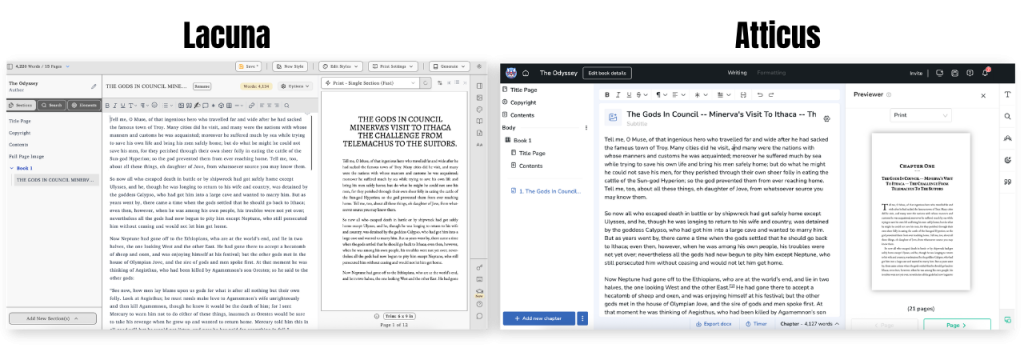
The main different between these two is that Lacuna is a desktop application so your projects save directly to your device and have to be done manually. While Atticus is online program that saves your work through a secure cloud system automatically (with the ability to download an ‘app’ for offline use).
Right away, Lacuna offers user a lot. Like an overwhelming amount of functions and customization.
If you aren’t tech savvy it will definitely take you some time to figure out their systems and where everything is. However, once you get over that hurdle the options feel endless.
With Atticus, things feel a bit more streamline. You may find the customization to be more direct but it makes sense. It takes no time to go from blank pages to exported PDF for print.
So, when choosing a winner for this – I’d say it depends on what you’re looking for.
Something streamline and saves automatically: Atticus wins
Something with many current functionalities and saves to your desktop: Lacuna wins
But let’s break this down a bit more.
Atticus vs Lacuna: Features & Functionality
Since many of what Atticus offers you’ll find in Lacuna, I wanted to highlight some differences between the features and functionality that I found surprising.
We will dive into each of these throughout:
- Platform Comparison
- Cost
- Customer Support
- Two-Page Image Spreads
- Number of Fonts
- Ease of Use
- Exports
Lacuna vs Atticus: Platform Comparison
Between the two platforms, there’s not a ton offered in one that can not be found in the other. Both apps present themselves as a valid option to writing, editing, and exporting your manuscript that is print ready.
However, where you see an initial difference is in the web-based vs app-based system as mentioned before.
Atticus is web-based, meaning everything is backed up automatically and you can access the program across any device. This is a great program for authors that may jump around on their devices and want to quickly access their work wherever they are. And does offer an option for offline work if preferred.
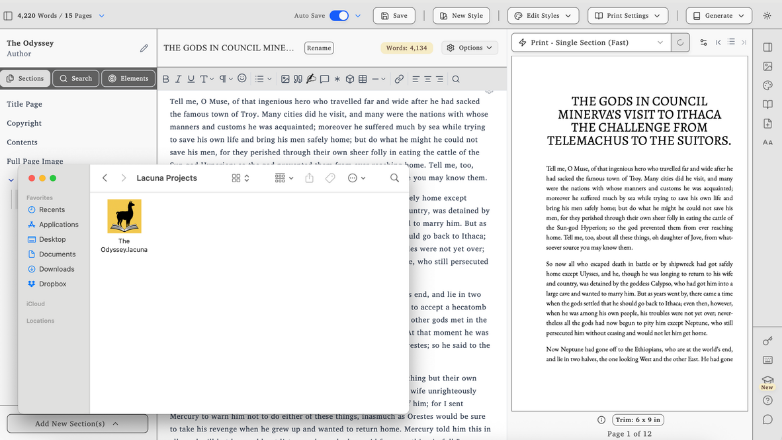
Lacuna is app-based, meaning you have to manually save your manuscripts to your device. This is great for anyone looking for a localized option and who works more offline than not.
So depending on what your preferred working mode is you’ll be able to decide between the two options.
Atticus vs Lacuna: Cost
The cost between the two is quite comparable as they both offer lifetime purchases.
Atticus currently is priced at $147 for unlimited activations.
While Lacuna is $129 for a single license (which can be transferred if needed). $219 for two license activations. And $299 for 3.
Looking at the raw numbers, Lacuna would take the cake here, if it was a single license you were looking for. However, since it’s computer based you can’t easily switch between devices at one time like Atticus.
It’s possible! Just not very user friendly when on the go.
Lacuna also offers a ‘free version’ that was neat. With this you can use every functionality offered, export the exporting. So you can fully submerge yourself with the experience of the program before making the decision.
So who wins here?
While Lacuna is cheaper upfront for a single device, Atticus offers more flexibility across devices, which may provide better long-term value.
Atticus vs Lacuna: Customer Support
If you know me you know I love a company with good customer support.
This is where things got a bit tossed up. Upon checking out Lacuna a bit I ran into some issues exporting (more one which I’ll dive into later). So, out of sheer curiosity I checked with their team about their refund policy.
I will admit, I was a bit beyond the 30-day mark which is a typical policy range, but instead of being met with a sorry you’re beyond this, I was met with a solid no. They actually don’t offer refunds for anyone and not for any reason.
So, please keep this in mind!
For many it’s likely not a bit deal. I mean if it fits all your needs you ideally won’t need to worry about any sort of refund.
However, it wouldn’t be a true review if I didn’t figure that out for you in case you run into that.
With Atticus, you are up front shown their 30-day policy with no questions asked. I’ve even known some authors to go beyond that and due to unforseeable circumstances the team was generous enough to extend that policy.

I think what caught me off guard with Lacana was the blatant no and no human-like empathy there.
Either way, that’s their choice and policy so it is what it is. I just can’t give them the win on this.
Atticus for the support win.
Atticus vs Lacuna: Two-Page Image Spreads
Something cool that more and more authors have been experimenting with is two-page image spreads.
I’ve personally tested these in Atticus. While it wasn’t completely intuitive at first, a quick message to their support team helped me get everything set up the way I wanted.
With Lacuna, I wasn’t able to confirm whether this feature is supported. After several attempts and searching for documentation, I couldn’t find a clear answer, which made it difficult to move forward with confidence.
Since Atticus does support this feature, even if it requires a bit of guidance, it takes the win here.
Atticus vs Lacuna: Number of Fonts
Fonts are something that can change the entire feel of a book. Choose the right font and you’ll start to create your own narrative. Choose the wrong font and you might confuse your reader what they are jumping into.
Lacuna offers a very large extent of font options not only for your Chapter titles, but also within your manuscript directly. A neat featured they offer is called the ‘Handwriting’ tool – and this allows you to pick from a variety of script/handwritten font directly within your manuscript. If you write journals or have a letter in your novel this would be perfect.
Atticus, although does offer over 1,500 font options, only allows for these to be within the Chapter Title/Subtitle sections. The reason for this, from what I’ve been told, is for a better reader experience when publishing. You may have printers that don’t print fonts very well and you could damage the reading visibility.
Lacuna wins in flexibility, while Atticus prioritizes consistency and readability.
Atticus vs Lacuna: Ease of Use
I have done a lot of messing around with both Atticus and Lacuna. Formatting within the two is a different experience, even though they offer very similar features.
Lacuna took a lot to understand. While Atticus has always been a quick learn.
So, if you have the time to mess around with Lacuna I’d give it a shot! Just know, it will take a while before you remember exactly where every setting or adjustment lays.
For a generalized functionality, Atticus is better since it is more streamline.
Atticus wins here.
Atticus vs Lacuna: Exports
This category is actually what led to my earlier customer support experience.
Both platforms offer exports for PDFs, ePubs, and .docx files. However, Lacuna’s .docx export still feels underdeveloped.
Since Lacuna doesn’t offer built-in collaboration, exporting to .docx becomes especially important as it’s one of the easiest ways to share a manuscript with editors. In my experience, though, the .docx output from Lacuna didn’t meet expectations.
While the option exists, it doesn’t seem to be a primary focus of the platform. In contrast, Atticus treats all three export formats as core features, and each one is reliable and polished.
So Atticus for the export win.
Which is better, Atticus or Lacuna? My Conclusion
As I mentioned at the beginning, it would take a lot to pull me away from Atticus. Lacuna certainly made a strong case and brings a lot to the table. Its flexibility and range of features give authors plenty of control and the ability to produce great-looking PDFs and ePubs.
That said, the overall complexity of the platform and customer service are what ultimately kept me from switching. While it offers powerful customization, it requires more time and effort to fully navigate and use effectively.
Even though it wasn’t the right fit for my workflow, it could still be a solid choice depending on what you’re looking for.
As for me, I’ll be sticking with Atticus.
0 Comments